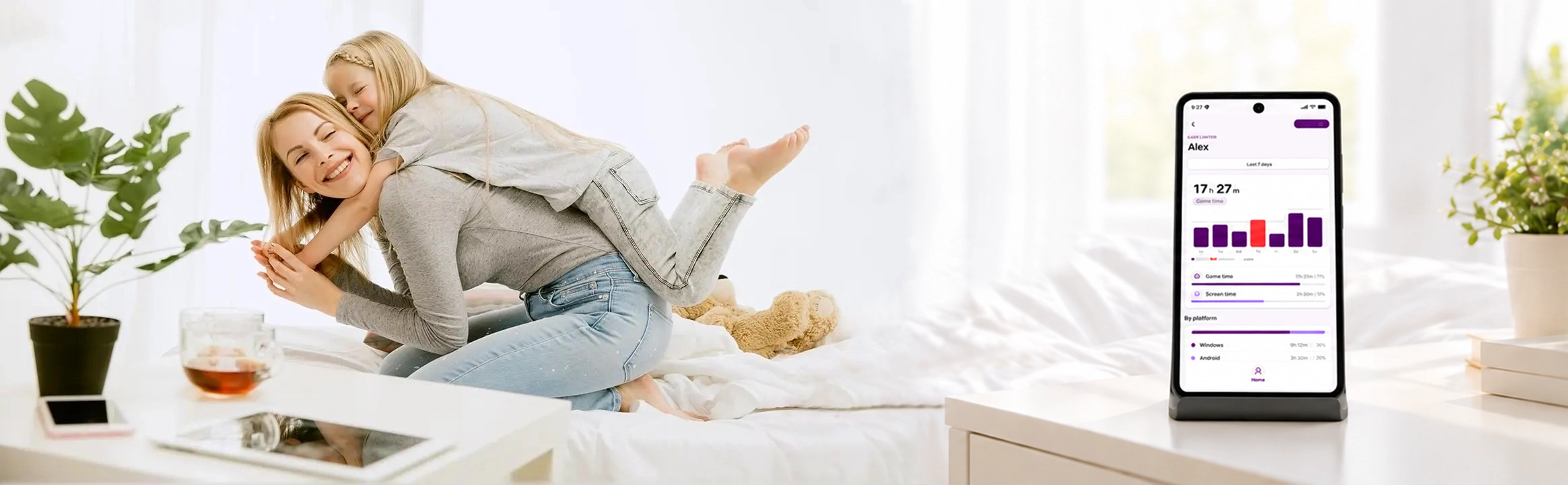
Game Limiter
Set clear limits on gaming and screen time, track usage, and automatically pause games when time is over.
Start for free in minutes
How Game Limiter Works
Three simple steps to take control of gaming and screen time — no technical setup needed.
-
1
Download and connect
Download the app on Windows or Android and connect it to your account.
-
2
Set your limits
Set limits for gaming and screen time.
-
3
Automatic enforcement
Game Limiter tracks usage and automatically applies those limits across devices.
Trusted by Families for Simple, Easy-to-use Features That Promote Healthy Digital Habits.
Trusted by families for simple, effective features that promote healthy digital habits.
Screen and Game Time Tracking
Get clear insights into how much time your child spends on the computer and gaming.
Flexible Time Limits:
Set individual time restrictions for both gaming and overall computer use, so you can create a balanced routine that works for your child.
Break Reminders & Forced Pauses:
Encourage healthy screen habits with reminders or automatic breaks to prevent excessive use.
Works Across Multiple Devices:
Supports Windows, Android, and soon Xbox, allowing you to monitor and manage screen time on all your child's devices.
Real-Time Monitoring:
Check in on your child's gaming activity anytime, so you always know what they're playing and for how long.
Family-Friendly Settings:
Supports multiple user profiles and admin settings, allowing different family members to manage and monitor screen time for multiple children, with the ability to adjust limits as necessary.
Game Limiter works as a system
Two apps, one account — each doing what it does best.
Windows app
Applies the limits and tracks usage in real time.
- Enforces gaming & screen time limits
- Tracks activity across sessions
- Pauses games automatically
Android app
Lets you manage settings and monitor activity from anywhere.
- Adjust limits on the go
- Monitor your child's activity
- Receive notifications
Balance meets healthy boundaries
Building healthy digital habits through communication and trust
Open Dialogue
Supporting your child in developing healthy screen routines starts with open dialogue and shared responsibility. Instead of strict limits, Game Limiter encourages families to create balanced routines together.
Shared Responsibility
Game Limiter makes it easy to manage screen time by gently guiding usage. When the set time for gaming is over, gaming is paused, but other activities can continue smoothly. When the daily time limit for screen use is reached, the computer shuts down automatically, contributing to a healthy rhythm.
Healthy Boundaries
By working together to set boundaries and explore healthy digital habits, you help your child make informed choices and strengthen your family's connection in today's digital world.
Why Choose Game Limiter?
Real advantages that make a difference for your family
Privacy First
Your family's data stays private. We don't sell your information or use it for advertising.
- GDPR compliant
- End-to-end encryption
- No data mining
Family Focused
Designed by parents, for parents. Build healthy habits together, not through restriction.
- Collaborative approach
- Age-appropriate settings
- Open communication tools
Simple & Effective
Set up in minutes, not hours. No technical knowledge required.
- Easy installation
- Intuitive interface
- Quick setup wizard
Cross-Platform
Manage all devices from one place. Windows, Android, and Xbox (coming soon).
- Unified dashboard
- Real-time sync
- Multi-device support
Smart Insights
Understand your child's digital habits with clear, actionable reports.
- Usage analytics
- Weekly summaries
- Activity trends
Built on Trust
No sneaky monitoring. Kids know the limits, parents have peace of mind.
- Transparent system
- Mutual respect
- Healthy boundaries
Ready to Build
Healthier Digital Habits?
Join thousands of families using Game Limiter to create balance